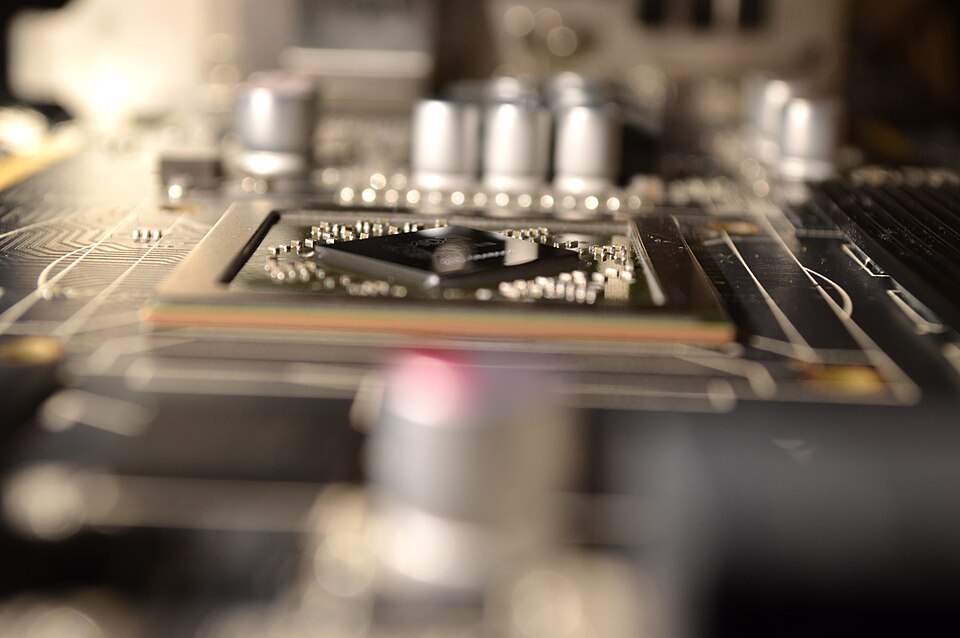
Render Network is a decentralized GPU-computing marketplace designed to connect people who need graphics processing with operators who have compatible GPU capacity. Its original focus was 3D rendering for animation, visual effects, motion graphics and other visual-production work. The network has also been developing a separate path for broader compute workloads, including machine-learning and artificial-intelligence tasks.
This guide explains how Render Network works, what the RENDER token does, how its current rendering tiers are structured, and what creators and potential node operators should check before using the service. Product names, onboarding rules, supported hardware and prices can change. The operational details below were checked against Render Network’s published documentation on November 19, 2026; always confirm the live terms before committing funds or buying hardware.
What Is Render Network?
Render Network is a peer-to-peer marketplace for GPU work. A creator submits a compatible rendering job, while eligible node operators contribute GPU capacity to process work. The network coordinates the job, its requirements and payment using its software and token-based economic system.
For a 3D artist, this can provide access to additional rendering capacity without having to own and maintain every GPU needed for a deadline. For a node operator, it can create an opportunity to put eligible hardware to work when it is available. Neither outcome is automatic: job compatibility, network availability, pricing, hardware requirements and onboarding rules all matter.
Render is part of the wider decentralized physical infrastructure network (DePIN) category. DePIN projects use software and incentives to coordinate physical resources such as computing, storage, wireless coverage or sensors. Read Poolyab’s DePIN overview for a broader explanation of this model.
Who Uses Render Network?
Creators and studios
Creators use GPU rendering to produce frames and visual assets for animation, film and television effects, architectural visualization, product design, motion graphics and other digital-content workflows. A project may need more GPU memory, processing capacity or parallel rendering resources than the creator’s local workstation can provide. Render offers a way to submit supported work to a distributed pool of nodes.
Node operators
Node operators provide compatible GPU hardware and computing resources. Their machines must meet the requirements for the specific type of work they want to support. Having a powerful graphics card does not by itself guarantee admission, job assignments or a predictable income stream.
Compute clients and larger providers
Render’s current participation information also describes onboarding for compute-client GPU nodes intended for machine-learning and AI workflows. Large data centers and render farms may have a separate route: Render’s operator page asks providers with 25 or more GPUs, or H100-and-above hardware, to contact the network about data-center participation. These paths should not be confused with the ordinary 3D-rendering node workflow.
How a Rendering Job Works
- Prepare the project. The creator works in a supported 3D application or integration and prepares the scene, assets, textures, output settings and frames to be rendered.
- Choose job settings. The creator reviews the available rendering options, including the tier, hardware or VRAM requirements where available, frame-approval settings and estimated costs shown by the current interface.
- Submit the work. The project is uploaded or submitted through the supported workflow. Asset size, network transfer and job complexity can affect both the time and cost.
- Node operators process assigned work. Eligible nodes receive work that matches the network’s requirements and available capacity. A creator should not assume that every job will be assigned to a fixed number of GPUs or finish in a guaranteed time.
- Review the output. The creator checks completed frames or previews using the approval options provided by the current workflow. If an output is incomplete or incorrect, use the documented review and support process.
- Complete the job. Once the work is approved and the required payment conditions are met, the creator can retrieve the rendered output. Keep a separate copy of project files and important deliverables.
The network’s current documentation explains job settings, frame approval and node selection. Read the official Render Network Knowledge Base before relying on an old screenshot or a third-party tutorial.
Render Network’s Current Pricing Tiers
Render’s published artist documentation currently lists Economy, Standard and Performance tiers, with Enterprise described as planned rather than generally available. The tiers differ in price, node performance and the type of scene they are designed to handle. The published table below was checked on November 19, 2026 and may change.
| Tier | Published price per 400 OBh | Published OctaneBench range | Typical positioning |
|---|---|---|---|
| Economy | €0.60 | Up to 600 OB | Lower-cost jobs that are not time-sensitive |
| Standard | €1.20 | 601–6,000 OB | General production work with more consistent hardware specifications |
| Performance | €2.40 | 6,001 OB and above | Heavier scenes and work that benefits from stronger nodes |
| Enterprise | Not generally available | Not listed | Planned trusted-partner tier |
OBh means OctaneBench hours. These figures are not a complete quote for every project. The total can also depend on scene size, the number of nodes used, asset-transfer bandwidth, job settings and the actual work completed. The official tier guide describes a bandwidth charge of 0.09 credits per gigabyte of scene assets transferred to nodes, charged for successfully rendered frames. Review the live pricing page and job estimate before submitting a production project.
Economy can suit work where delivery time is flexible, but the official guide warns that queue priority and node power are not guaranteed in that tier. Standard is positioned for common production jobs, while Performance is intended for more demanding scenes. A higher tier is not automatically the best choice: compare the scene’s memory needs, deadline, quality requirements and budget.
What Is the RENDER Token?
RENDER is the Solana-based token used in the network’s current token and payment model. The earlier RNDR token was an ERC-20 asset on Ethereum. The network’s migration introduced the Solana SPL version, while legacy RNDR and current RENDER should not be treated as interchangeable tickers on every wallet or exchange.
Always check the blockchain network, token contract and migration instructions shown by the official Render Foundation or the exchange you use. A ticker alone is not enough to identify an asset safely. Sending a token to an address on the wrong network can result in loss of access. Poolyab’s decentralized wallet guide explains general wallet-security practices, but it does not replace the network’s official migration instructions.
How Burn-and-Mint Equilibrium Works
Render documents an economic model called Burn-and-Mint Equilibrium (BME). In the documented workflow, a creator uses RENDER to obtain Render Credits with an equivalent stated value for submitting work. The RENDER used for the credits is burned. Render Credits are non-transferable work credits rather than ordinary tokens that can be freely sent to another wallet.
Node operators who complete GPU work receive RENDER through network emissions. The emissions schedule and related parameters are governed through Render Network Proposals and can be updated. This is why it is inaccurate to describe every job as a simple direct transfer of the creator’s payment to an individual operator. The payment and reward mechanism has distinct steps.
BME is designed to connect demand for rendering and compute services with token usage and operator incentives. It does not guarantee that token demand will rise, that emissions will cover every operator’s costs, or that the market price of RENDER will increase. Token price, network usage, emission policy and operating expenses are separate variables.
For the technical explanation, consult the official documentation on the Burn-and-Mint Equilibrium model and the RENDER SPL token.
How to Become a Node Operator
There is no single hardware checklist for every Render workload. The network documents different requirements for traditional 3D-rendering nodes and the separate Dispersed compute path. Before spending money, identify the route you are applying for and compare your existing hardware with its current official requirements.
3D rendering nodes
Render’s node-operator guide recommends a CUDA-enabled NVIDIA GPU. It lists a minimum of 6 GB of VRAM, with 8 GB or more preferred, 32 GB or more of system RAM, a stable network connection and about 100 GB of free disk space. The guide also specifies a minimum driver version and notes that higher VRAM can improve the ability to handle complex scenes. These are general recommendations, not a promise that every machine will be accepted or receive work.
To begin, the official guide directs prospective operators to complete the Render Network Interest Form and enter an onboarding queue. The team provides further instructions when a node is ready to be added. Do not assume that downloading software alone activates a productive node.
Dispersed compute nodes
Render’s documentation describes Dispersed as a dedicated AI-workloads subnet previously known as the Render Compute Network. Its published application requirements include a GPU meeting the approved compute-score threshold, 64 GB or more of RAM, SSD storage, a supported Windows, WSL or Linux environment, network bandwidth and Docker with the NVIDIA Container Toolkit. The documentation recommends Ubuntu 22.04 or 24.04 for optimal Linux compatibility.
Crucially, Render says this is a call for existing hardware and advises applicants not to purchase new hardware specifically for the opportunity. Applying does not guarantee a place in a cohort or any particular volume of assigned work. Read the official Dispersed compute-node FAQ and its linked requirements before applying.
Data centers and render farms
Providers with large GPU fleets may have a separate onboarding conversation. Render’s participation page currently directs data centers and render farms with 25 or more GPUs, or H100-and-above models, to request information. This is a different route from an individual creator or a small home workstation.
How to Evaluate Whether Render Is Suitable
For creators, the decision is mainly about workflow fit and total project cost. Test a small, non-critical project first. Confirm that your application and scene format are supported, compare the output quality with your local workflow, inspect the tier and VRAM settings, and include bandwidth and revision costs in the budget. Do not send confidential client assets until you have reviewed the service’s current terms, data-handling information and your organization’s security requirements.
For node operators, calculate the economics using measured power consumption and actual electricity prices. Include hardware depreciation, cooling, internet costs, maintenance, downtime, taxes where applicable and the possibility of receiving little or no work. A GPU’s theoretical benchmark score is not the same as realized revenue. Do not use a token-price forecast or an online earnings calculator as proof that a hardware purchase will pay for itself.
If your interest is decentralized compute more broadly, compare Render with other projects rather than assuming they offer identical services. Poolyab’s Golem (GLM) guide covers another decentralized computing model. Compare the actual workload, software compatibility, supply of providers, payment model and operator requirements.
Benefits and Limitations
Potential benefits
- Access to distributed GPU capacity: Creators can access additional rendering resources without buying every GPU themselves.
- Multiple price and performance choices: Published tiers help users match job requirements to budget and delivery needs.
- Use of underutilized hardware: Eligible operators may contribute spare GPU resources to supported workloads.
- Specialized ecosystem: The network is connected to established 3D-rendering software and production workflows.
- Transparent token mechanics: BME documentation describes how work credits, token burns and operator emissions fit together.
Important limitations
- Work is not guaranteed: Node onboarding and assignments depend on the network’s requirements and available demand.
- Not every GPU is suitable: Hardware, VRAM, drivers, software and operating-system requirements vary by workload.
- Project costs vary: Tier selection, asset transfers, scene complexity and revisions can change the final bill.
- Token exposure remains: RENDER’s market value can fluctuate, and emissions are subject to network governance.
- Distributed work needs review: Creators should validate output quality and keep backups of source projects and deliverables.
Security and Due-Diligence Checklist
- Use the official Render Network website and documentation; be cautious of unsolicited messages claiming to offer node slots or guaranteed rewards.
- Verify the network and token contract before transferring RENDER or migrating legacy RNDR.
- Never share a wallet seed phrase, private key, password or one-time authentication code with a supposed support agent.
- Download node software only from official sources and verify the current installation requirements.
- Keep operating systems, GPU drivers, Docker and other dependencies updated according to the official guidance.
- Use a dedicated wallet and appropriate access controls for operational funds where practical.
- Back up original project files and verify output before deleting local copies.
- For client work, review confidentiality, intellectual-property and data-handling obligations before uploading assets.
- For hardware investments, use conservative assumptions and do not count unconfirmed work assignments as income.
Frequently Asked Questions
Is Render Network a cryptocurrency or a GPU marketplace?
It is a decentralized GPU-computing network and marketplace with a token-based economic system. RENDER supports its current payment and incentive model, but the network is not simply a coin or a conventional cryptocurrency exchange.
What is the difference between RNDR and RENDER?
RNDR refers to the legacy Ethereum ERC-20 token. RENDER is the Solana SPL token used in the network’s current model. Check official migration guidance and exchange support before moving either asset.
Can I earn RENDER with a gaming GPU?
Possibly, if the hardware and software meet the requirements for an available node path and the operator is accepted. A gaming GPU does not guarantee onboarding, job assignments or profit. Check the current node documentation before applying.
Does Render guarantee that node operators receive jobs?
No. Render’s compute-node documentation explicitly says that joining the waitlist does not guarantee a place in a cohort or a specific amount of assigned work.
Is Render always cheaper than a centralized cloud provider?
No universal saving can be assumed. Compare the current tier, scene requirements, bandwidth, completion time, revisions and service needs with a like-for-like alternative quote.
Is Dispersed the same as the original 3D rendering network?
No. Render’s documentation describes Dispersed as a dedicated path for AI workloads, while the original rendering workflow serves 3D production jobs. Their onboarding and hardware requirements differ.
Does holding RENDER guarantee income or governance rewards?
No. Holding a token does not guarantee a return. Operator emissions are tied to network rules and completed work, while token prices and governance parameters can change.
Final Takeaway
Render Network is best understood as a specialized marketplace for distributed GPU work, with a long-standing 3D-rendering use case and a separate expansion into AI-oriented compute. Its value to a creator depends on compatibility, output quality, price and delivery requirements. Its value to a node operator depends on eligibility, actual work assignments and carefully calculated operating costs. The RENDER token and BME model support the network’s economic design, but they do not remove market, technical or operational risk.
Before using the service, check the official documentation for current tiers, node onboarding, hardware requirements and token procedures. Treat old screenshots, outdated RNDR instructions and claims of guaranteed GPU income with caution.


