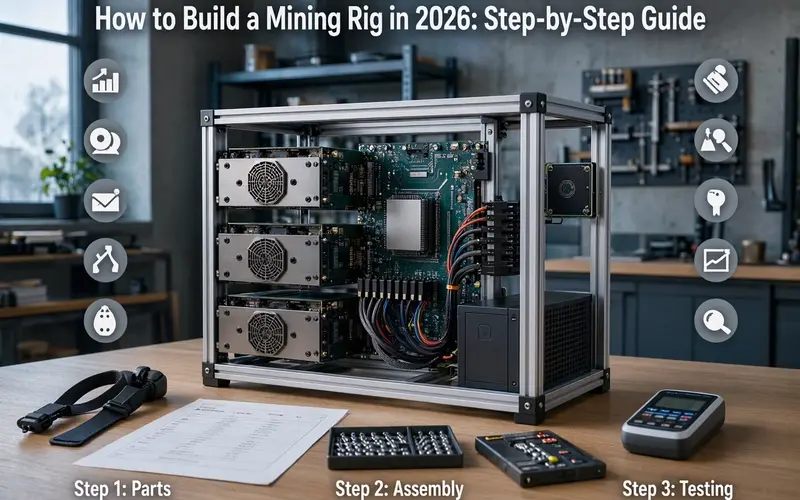
Building a mining rig is a complex process that requires careful planning, research, and execution. From selecting suitable mining software and hardware to assembling components and managing electricity consumption, every decision can affect the performance and profitability of your setup.
If you are interested in cryptocurrency mining, learning how to build a mining rig is an important first step. However, modern mining is different from the early days of Bitcoin, when ordinary personal computers could participate more competitively.
Today, cryptocurrency mining requires an understanding of specialized hardware, mining algorithms, electricity prices, cooling requirements, and network difficulty.
This guide explains how to build a cryptocurrency mining rig step by step, including the equipment you need, how to configure your system, common mistakes to avoid, and how to calculate potential mining profitability.
What Is a Cryptocurrency Mining Rig?
A cryptocurrency mining rig is a computer system designed to perform the computational work required by a proof-of-work blockchain network.
Mining helps participating blockchain networks validate transactions, produce new blocks, and maintain network security.
Depending on the cryptocurrency and mining algorithm, a mining rig may use graphics processing units (GPUs), central processing units (CPUs), or specialized application-specific integrated circuits (ASICs).
There are three main categories of cryptocurrency mining hardware:
- GPU mining rigs: Use graphics cards to mine cryptocurrencies with compatible algorithms.
- CPU mining rigs: Use computer processors for algorithms designed to support CPU mining.
- ASIC miners: Specialized devices manufactured for particular mining algorithms.
It is important to distinguish between different cryptocurrencies before purchasing equipment. Bitcoin mining is dominated by specialized ASIC hardware, while other proof-of-work cryptocurrencies may support GPU or CPU mining.
Ethereum is no longer mineable. Following its transition to proof of stake in September 2022, ETH mining ended on the Ethereum network.
What Components Do You Need to Build a Mining Rig?
Before beginning the assembly process, identify the equipment required for your intended configuration.
A typical GPU mining rig may include the following components:
| Component | Purpose |
|---|---|
| Graphics cards (GPUs) | Perform mining calculations |
| Motherboard | Connects the system components |
| Processor (CPU) | Handles general system operations |
| RAM | Supports operating system and application processes |
| SSD or storage device | Stores the operating system and mining software |
| Power supply (PSU) | Provides electricity to the components |
| Mining frame or case | Holds and organizes the equipment |
| Cooling fans | Help dissipate heat |
| PCIe risers, if required | Connect additional compatible graphics cards |
| Network connection | Connects the rig to mining services |
The exact configuration depends on your selected cryptocurrency, available budget, electricity costs, and expected mining performance.
Step 1: Choose the Right Mining Software
The first step is to research and select mining software that suits your needs.
Mining software allows your hardware to communicate with a mining pool or compatible blockchain network. It manages mining calculations and reports information such as hash rate, hardware errors, and accepted mining shares.
Some mining-related applications and projects you may encounter include CGMiner, EasyMiner, and MinerGate. However, software compatibility, availability, and maintenance status can change over time. Verify the current status of any application before installing it.
Before making your decision, explore our Bitcoin mining software guide to learn more about mining applications and their features. Always verify current compatibility with your chosen hardware and cryptocurrency.
Make sure the mining software is compatible with your operating system, whether Windows, Linux, or another supported environment.
How to Select Suitable Mining Software
Before downloading mining software, evaluate the following factors:
- Compatibility with your selected cryptocurrency.
- Support for your GPU, CPU, or ASIC hardware.
- Operating system compatibility.
- Mining pool configuration options.
- Software maintenance and developer reputation.
- Monitoring and reporting features.
- Any applicable developer or service fees.
Always obtain mining applications from verified official sources. Fraudulent mining applications may contain malicious software designed to steal cryptocurrency or compromise your computer.
Step 2: Choose the Right Mining Hardware
Decide which cryptocurrency you want to mine before selecting your hardware.
Different cryptocurrencies use different mining algorithms, and hardware that performs well with one algorithm may be unsuitable for another.
For example, Bitcoin mining requires competitive SHA-256 ASIC equipment. Purchasing consumer GPUs for Bitcoin mining would generally be an impractical investment. If you plan to use specialized ASIC hardware, follow our Antminer installation guide to understand the setup and configuration process.
For GPU mining, research currently supported proof-of-work cryptocurrencies and their hardware requirements.
Different cryptocurrencies also require different mining equipment. For example, Litecoin uses the Scrypt algorithm, and competitive mining generally requires compatible ASIC hardware. Read our Litecoin mining tutorial to understand its mining requirements before purchasing equipment.
Important Hardware Selection Factors
When comparing mining equipment, consider:
- Hash rate: The amount of mining work the equipment can perform.
- Power consumption: The electricity required during operation.
- Energy efficiency: Mining performance relative to electricity usage.
- Purchase price: The initial investment required.
- Cooling requirements: The heat generated during continuous operation.
- Hardware compatibility: Whether components can operate together reliably.
Do not choose hardware based on hash rate alone. A device with high mining performance may consume enough electricity to make it less profitable than a more efficient alternative.
GPU Mining vs. ASIC Mining
| Feature | GPU Mining | ASIC Mining |
|---|---|---|
| Hardware | Graphics cards | Specialized mining devices |
| Flexibility | Can support multiple compatible algorithms | Designed for specific algorithms |
| Primary consideration | GPU efficiency and algorithm compatibility | Device efficiency and operating costs |
| Cooling | Depends on the number and type of GPUs | Often requires substantial ventilation |
| Bitcoin mining | Not competitive in practice | Industry-standard approach |
Step 3: Plan Your Mining Rig’s Configuration
Determine the number of GPUs or CPUs you want to use in your mining rig.
Plan the physical layout carefully, considering airflow, heat dissipation, cable management, and available space.
Choose a suitable motherboard and power supply for your intended configuration.
Motherboard Selection
The motherboard must provide sufficient connectivity for your mining equipment.
Some motherboards support several graphics cards through PCIe connections, while others offer fewer expansion options.
Check the manufacturer’s specifications before purchasing additional GPUs or risers.
Power Supply Planning
A reliable power supply is essential for a mining rig that may operate continuously.
Calculate the combined electricity requirements of all graphics cards, the motherboard, processor, cooling fans, and other connected components.
Select a reputable PSU with appropriate capacity and compatible connectors.
Never exceed the manufacturer’s power ratings or use unsafe cable adapters. High electrical loads can create overheating and fire hazards when components are incorrectly configured.
Airflow and Heat Dissipation
Mining hardware generates significant heat under continuous workloads.
Position the equipment so cooling fans can move air efficiently around the components.
Avoid installing a mining rig inside a tightly enclosed space without adequate ventilation.
Room temperature, dust accumulation, and noise should also influence your design.
Step 4: Purchase the Necessary Components
Once your configuration is complete, purchase the necessary components online or from a reputable local supplier.
Your shopping list may include:
- GPUs or CPUs.
- Motherboard.
- Power supply.
- Processor and compatible cooler.
- RAM.
- SSD or other supported storage.
- Operating system.
- Mining frame or computer case.
- Cooling fans.
- Compatible PCIe risers, where required.
- Power and data cables.
Before ordering, verify compatibility between the motherboard, processor, memory, power supply, and graphics cards.
Should You Purchase Used Mining Hardware?
Second-hand mining hardware may reduce your initial investment, but it can also introduce additional risks.
Used graphics cards and mining devices may have experienced prolonged operation under demanding conditions.
Inspect their physical condition, cooling system, warranty status, and available performance information before purchasing.
Compare used equipment prices against newer, potentially more energy-efficient alternatives.
Step 5: Assemble the Mining Rig
Follow the manufacturers’ instructions when assembling your components.
Work on a clean, stable surface and follow appropriate electrical and electrostatic-discharge precautions.
Step-by-Step Mining Rig Assembly
- Prepare the mining frame or computer case.
- Install the processor on the motherboard.
- Install the CPU cooling system.
- Insert the RAM into the appropriate slots.
- Install the storage device.
- Secure the motherboard to the frame or case.
- Install the power supply.
- Install the graphics cards in compatible slots or approved riser configurations.
- Connect the required power and data cables.
- Connect a display for initial configuration if necessary.
- Connect the network interface.
- Inspect all connections before switching on the equipment.
Ensure that graphics cards are securely mounted and that cables do not obstruct cooling fans.
Pay particular attention to GPU and riser power connections. Do not improvise electrical connections or exceed the ratings of cables and connectors.
First Boot and Hardware Verification
After completing assembly, start the system and check whether the motherboard detects the installed components.
Enter BIOS or UEFI settings if necessary to verify processor, memory, storage, and graphics card detection.
If the system fails to start, disconnect power and troubleshoot the hardware before proceeding.
Step 6: Install the Operating System and Mining Software
Install your chosen operating system on the mining rig.
Windows and Linux are common choices for compatible mining configurations. Your decision should depend on hardware compatibility, mining software requirements, and your technical experience.
After installing the operating system, install the required hardware drivers and relevant security updates.
If you are setting up a Bitmain ASIC miner instead of a custom GPU rig, the installation process will be different. Our Antminer installation tutorial explains the essential setup and configuration steps for this type of mining equipment.
Mining Software Installation
- Download the mining application from its verified official source.
- Review the installation documentation.
- Install the required software dependencies.
- Configure the application for your selected hardware.
- Enter the required mining pool information.
- Run an initial test.
- Check for hardware errors or connection problems.
Do not disable important system protections simply because an unknown mining application requests it. Investigate security warnings and verify software authenticity before proceeding.
Step 7: Configure Your Mining Rig’s Settings
After installing the operating system and mining software, configure the network, mining, and power settings.
Network Settings
Your mining rig requires a reliable internet connection.
Depending on your network configuration, you may need to review:
- IP address.
- Subnet mask.
- Default gateway.
- DNS settings.
A stable wired connection may be preferable where practical.
Mining Pool Settings
Many miners participate in mining pools instead of attempting to mine independently.
A mining pool combines the computational work of participating miners and distributes rewards according to its established payment rules.
Typical configuration settings include:
- Mining pool server address.
- Supported mining algorithm.
- Wallet address or pool account.
- Worker name.
- Any additional pool-specific settings.
Before choosing a mining pool, research its reliability, fees, payout thresholds, and supported cryptocurrencies.
Power and Temperature Settings
Configure appropriate fan controls and temperature monitoring.
Some mining hardware supports power-limit adjustments that can improve energy efficiency.
However, changing hardware settings without understanding their effects can cause instability or damage. Follow the equipment manufacturer’s operating guidelines.
How to Calculate Mining Rig Electricity Costs
Electricity consumption is one of the most important factors affecting cryptocurrency mining profitability.
Before running a mining rig continuously, calculate its estimated daily and monthly electricity costs.
The basic formula is:
Daily Electricity Cost = (Power Consumption in Watts / 1,000) × Operating Hours × Electricity Price per kWh
Example: A Mining Rig Consuming 1,000 Watts
Assume your mining rig consumes 1,000 watts and operates for 24 hours per day.
If electricity costs $0.10 per kilowatt-hour:
- Daily electricity consumption: 24 kWh.
- Daily electricity cost: $2.40.
- Electricity cost over 30 days: $72.
This calculation represents electricity costs only. It does not include equipment purchases, cooling, maintenance, pool fees, or other expenses.
Actual electricity consumption should be measured at the wall where possible, because the complete system may use more electricity than the advertised consumption of its primary mining hardware.
Step 8: Monitor and Maintain Your Mining Rig
Once your mining rig is operational, monitor its performance regularly.
Depending on the software, monitoring tools may provide information about:
- Current hash rate.
- GPU or ASIC temperatures.
- Fan speed.
- Power consumption.
- Accepted and rejected mining shares.
- Hardware errors.
- Mining pool connectivity.
- System uptime.
Some mining applications provide command-line monitoring, while others offer graphical dashboards or web-based interfaces.
Routine Maintenance
Maintain your mining rig by regularly cleaning accumulated dust, inspecting cooling fans, and updating relevant firmware and software.
Before performing physical maintenance, safely shut down and disconnect the equipment.
Inspect cables and connectors for visible damage or signs of overheating.
Regularly back up important configuration files and keep cryptocurrency wallet recovery information secure.
Never share wallet private keys or recovery phrases with mining pool operators, software providers, or technical support representatives.
Security is also an important part of maintaining a cryptocurrency mining operation. Protect your mining accounts, wallet credentials, and connected devices from unauthorized access. For additional guidance, read our blockchain security risks guide.
Is Building a Mining Rig Profitable in 2026?
Mining profitability depends on several factors, including cryptocurrency prices, network difficulty, equipment efficiency, electricity costs, and mining rewards.
A mining rig can generate cryptocurrency while still operating at a financial loss.
Before investing in equipment, estimate the following expenses:
- Initial hardware purchase.
- Electricity consumption.
- Cooling and ventilation.
- Mining pool fees.
- Maintenance and replacement components.
- Internet connectivity.
- Potential downtime.
A simplified operating-profit calculation is:
Estimated Operating Profit = Mining Revenue − Electricity Costs − Pool Fees − Other Operating Expenses
Remember that operating profit does not automatically account for recovering the initial hardware investment.
Equipment depreciation, repairs, taxes, and fluctuations in mining difficulty can also affect the final financial result.
Use current network statistics and realistic hardware measurements when estimating potential returns.
Common Mining Rig Problems and Troubleshooting
1. Mining Rig Does Not Start
Check the power supply, motherboard connections, RAM installation, and essential hardware. Consult the manufacturers’ troubleshooting instructions.
2. Graphics Card Is Not Detected
Verify the GPU connection, riser compatibility, graphics drivers, and relevant motherboard settings.
3. Mining Rig Overheats
Inspect the cooling system, airflow, ambient temperature, and dust accumulation. Stop operation if temperatures exceed safe manufacturer limits.
4. Hash Rate Is Lower Than Expected
Check whether your hardware supports the selected mining algorithm and confirm that the mining application is configured correctly.
5. Mining Pool Connection Fails
Verify the pool address, internet connection, wallet or worker configuration, and mining pool service status.
Additional Tips for Building a Mining Rig
Building a mining rig requires technical expertise and careful planning. The following recommendations can help improve reliability and reduce avoidable problems:
- Research local laws and regulations regarding cryptocurrency mining.
- Check applicable electricity tariffs and utility requirements.
- Ensure your mining rig is properly ventilated to prevent overheating.
- Consider using suitable noise-reducing equipment to minimize disturbance.
- Keep your mining rig in a secure location to reduce the risk of theft or damage.
- Regularly back up important configuration data.
- Purchase equipment from reputable suppliers.
- Never overload electrical circuits or exceed component ratings.
- Monitor electricity consumption alongside mining revenue.
- Start with a smaller setup and gradually expand as you gain experience.
Frequently Asked Questions About Building a Mining Rig
Can I build a cryptocurrency mining rig at home?
Yes, building a mining rig at home is technically possible where local regulations and electrical arrangements permit it. However, electricity consumption, heat, noise, ventilation, and safety requirements must be considered.
How many GPUs do I need to build a mining rig?
There is no universal requirement. Beginners can start with one compatible GPU and expand later if the hardware configuration, electricity capacity, and financial calculations justify additional equipment.
Can I mine Bitcoin using graphics cards?
Bitcoin mining is dominated by specialized ASIC equipment. Consumer graphics cards are not a practical option for competitive Bitcoin mining.
Can Ethereum still be mined?
No. Ethereum transitioned from proof of work to proof of stake in September 2022. ETH mining is no longer supported by the Ethereum network.
Does a mining rig need an internet connection?
Yes. Mining equipment generally requires a reliable internet connection to communicate with the relevant mining pool or blockchain network.
How much electricity does a mining rig consume?
Electricity consumption depends on the hardware configuration, power settings, and cooling requirements. Calculate the complete system’s consumption before estimating operating costs.
Is cryptocurrency mining guaranteed to be profitable?
No. Mining profitability changes with cryptocurrency prices, electricity costs, equipment efficiency, network difficulty, and operating expenses.
Should beginners build a large mining rig immediately?
Starting with a smaller configuration is generally more practical. It allows beginners to understand hardware requirements, software configuration, electricity consumption, and maintenance before making a larger investment.
Conclusion
Building a mining rig requires careful planning, research, and execution. Choosing compatible mining software, selecting suitable hardware, assembling components correctly, and managing electricity consumption are essential steps.
The eight-step process explained in this guide provides a foundation for building and maintaining a cryptocurrency mining setup.
However, cryptocurrency mining has changed considerably over time. Ethereum can no longer be mined, Bitcoin mining relies heavily on specialized ASIC equipment, and mining profitability increasingly depends on hardware efficiency and operating expenses.
If you are new to cryptocurrency mining, start with a smaller setup and gradually scale up as you gain experience.
The most effective mining rig is not necessarily the system with the highest hash rate. It is the configuration that combines suitable hardware, reliable operation, manageable electricity consumption, and realistic financial expectations.


